

Running a local business in the UAE means your customers need to find you, whether they’re searching for artisan pyrite decor in Dubai or any other product or service across the Emirates. At Natural Pyrite UAE, we learned early that inconsistent business information across directories kills trust and visibility before a potential customer ever reaches your site. That’s exactly the problem Semrush Listing Management was built to solve.
This tool lets you push accurate business details, name, address, phone number, to dozens of directories from a single dashboard. No more logging into each platform individually. No more discovering months later that your old phone number is still listed on Google or that your address is wrong on Apple Maps. For any UAE-based business serious about local search, maintaining that consistency is non-negotiable.
But does it actually work as advertised, and is it worth the investment? This guide breaks down exactly how Semrush Listing Management operates, walks you through setting it up step by step, and gives you a straight answer on whether it delivers real improvements to your local SEO. Whether you run a single storefront or manage multiple locations across Dubai and Abu Dhabi, you’ll leave with a clear plan for automating your local citations and keeping your business information accurate everywhere it matters.
What Semrush Listing Management does
Semrush Listing Management is a centralized tool that pushes your business information, including name, address, phone number, website, hours, and categories, to a network of online directories, maps, and data aggregators simultaneously. Instead of manually updating each platform one by one, you make a single change inside the Semrush dashboard and the update propagates across the entire network. For businesses in the UAE, this matters because potential customers search across Google Business Profile, Apple Maps, and Bing Places before deciding to visit or contact you. Inconsistent information across even a handful of those platforms can cost you that customer.
How the data sync works
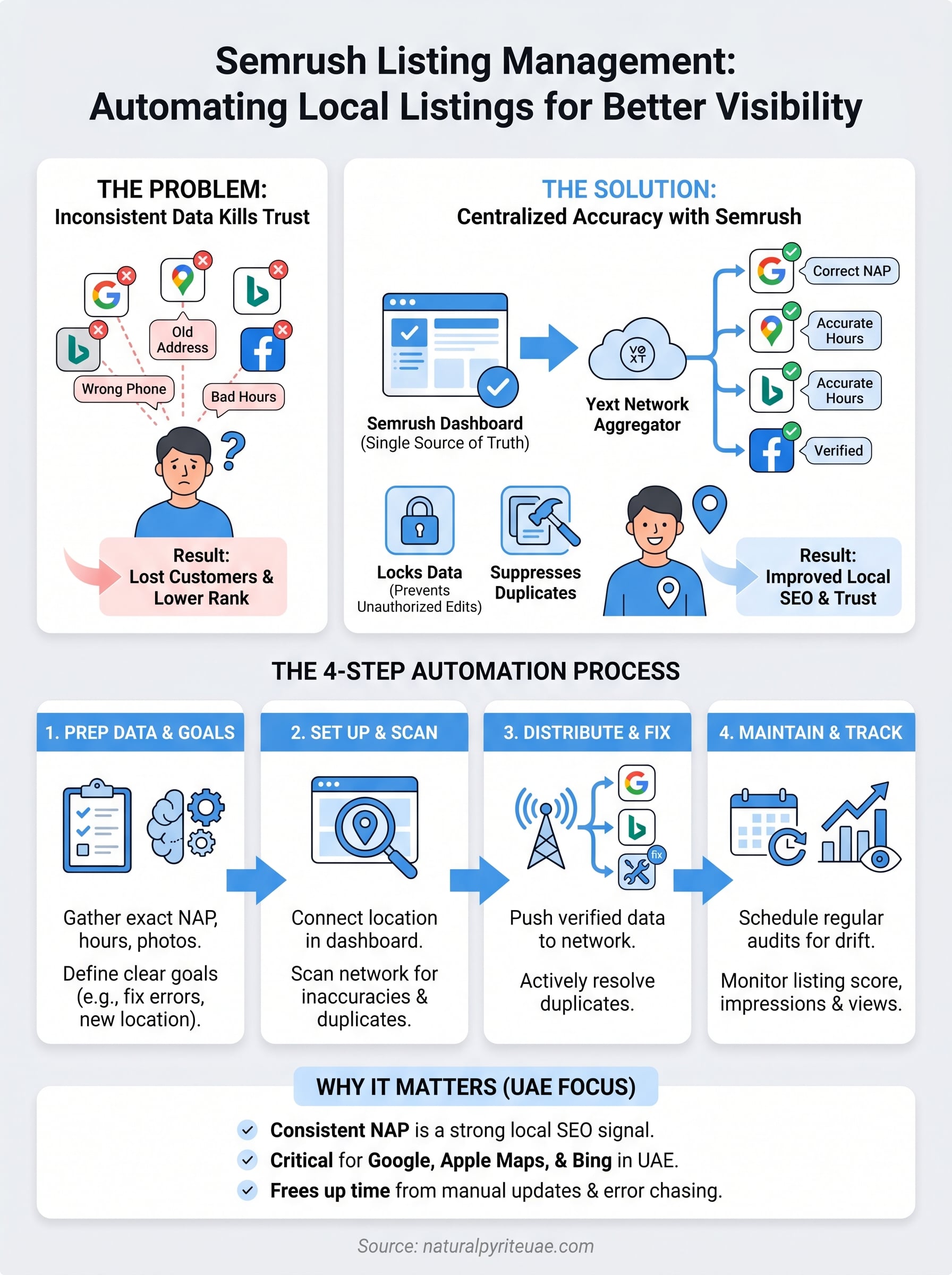
At its core, Semrush Listing Management connects your business profile to a distribution network powered by Yext, one of the largest business data aggregators globally. When you enter or update your business details inside Semrush, those changes push out to partner directories automatically. The tool does not just update listings. It actively suppresses duplicates and locks your information so unauthorized third-party edits cannot overwrite your data once it is live.
Consistent NAP (Name, Address, Phone) data across directories is one of the strongest local SEO signals you control directly, and it costs you nothing extra once your listings are live.
The sync is not instantaneous across every platform. Some directories, like Google Business Profile, reflect changes within hours, while smaller regional platforms can take a few days. Semrush shows you the distribution status per location, so you know exactly where your data is live and where it is still pending, without logging into each platform separately.
What directories and platforms it covers
The network covers over 70 directories and data sources depending on your region and plan tier. For UAE businesses, the most important platforms in the network include Google Business Profile, Apple Maps, Bing, and Facebook, along with backend aggregators that feed GPS systems, voice assistants like Siri, and navigation apps. The table below outlines the main platform categories:
| Platform Type | Examples |
|---|---|
| Search engines | Google, Bing |
| Maps and navigation | Apple Maps, HERE, TomTom |
| Social platforms | |
| Data aggregators | Foursquare, Factual |
| Review sites | Yelp, Tripadvisor |
Not every directory in this network carries equal weight for your local rankings, but suppressing inaccurate data across all of them prevents wrong information from resurfacing on platforms that do matter. A corrupted aggregator entry can silently feed incorrect details to dozens of downstream platforms you never even knew were listing your business.
Where it fits in your broader local SEO strategy
Listing management is not a replacement for a strong Google Business Profile or solid on-page SEO work. It handles a specific and often overlooked layer of local search: the accuracy and reach of your structured business data. Search engines build confidence in a business location by cross-referencing NAP data across multiple independent sources. When those sources disagree, your rankings can drop even if your website is technically well-optimized.
For a retailer operating across Dubai and Abu Dhabi, maintaining a single verified source of truth for your business information eliminates an entire category of SEO problems. You stop spending time tracking down wrong phone numbers and outdated addresses scattered across platforms you barely remember listing on. That time goes back into building reviews, improving your product pages, and serving customers instead of chasing data errors across the internet.
Step 1. Prep your business data and goals
Before you touch anything inside Semrush Listing Management, you need to have your business data ready and your goals defined. Skipping this step is the most common reason businesses end up with sloppy listings after setup. If you enter inconsistent information at the start, you push that inconsistency to every directory in the network simultaneously, which creates a bigger cleanup job than you had before.
Gather your core business information
Your NAP data (Name, Address, Phone) must be exact and consistent before you input anything into the tool. Pull together every piece of information you plan to use and confirm it matches what is already on your official website and Google Business Profile. Small differences like "St." versus "Street" or a local phone number formatted differently across platforms are enough to confuse search engines.
Use this checklist to compile everything you need before setup:
- Business name: Use the exact legal or trading name you want listed everywhere
- Full address: Include building number, street, area, city (Dubai or Abu Dhabi), and postal code
- Primary phone number: Use the number you answer most reliably
- Website URL: Use your canonical URL with consistent formatting (https vs http)
- Business categories: Choose your primary and secondary categories carefully
- Business hours: Include regular hours and any holiday schedule variations
- Short business description: Write 150 to 200 words that clearly describe what you offer
- Logo and photos: Prepare high-resolution images that meet directory size requirements
Uploading a complete and accurate profile from day one reduces the manual correction work you will need to do after the initial sync goes live.
Define your goals before you start
Knowing what you want out of the tool shapes how you use it. Are you trying to fix existing inaccurate listings that accumulated over time? Are you launching a new location and building your citation footprint from scratch? Or are you managing multiple UAE locations and need a scalable process?
Your goal also determines which metrics you track from the start. A business fixing existing citation errors should benchmark the number of inconsistent listings before setup, then compare that number after the first sync completes. A business launching a new location should track how quickly visibility builds across platforms over the first 30 days. Write your goal down and attach a specific metric to it before you move forward to setup.
Step 2. Set up a location and run your scan
Once your business data is ready, you can open Semrush Listing Management inside your Semrush account. Navigate to the "Local SEO" section in the left sidebar and select "Listing Management." The tool will prompt you to enter a location. This is where the preparation work from Step 1 pays off, because you are pulling from a verified, consistent source rather than typing from memory and risking errors at the point of entry.
Connect your location in the dashboard
Enter your business name and address in the search field at the top of the Listing Management interface. Semrush will search its existing database to find whether your business already has a profile. If it appears, confirm the match. If it does not appear, you create a new location profile from scratch. Either way, you will land on the location profile editor where you input your NAP details, hours, categories, website URL, and business description.
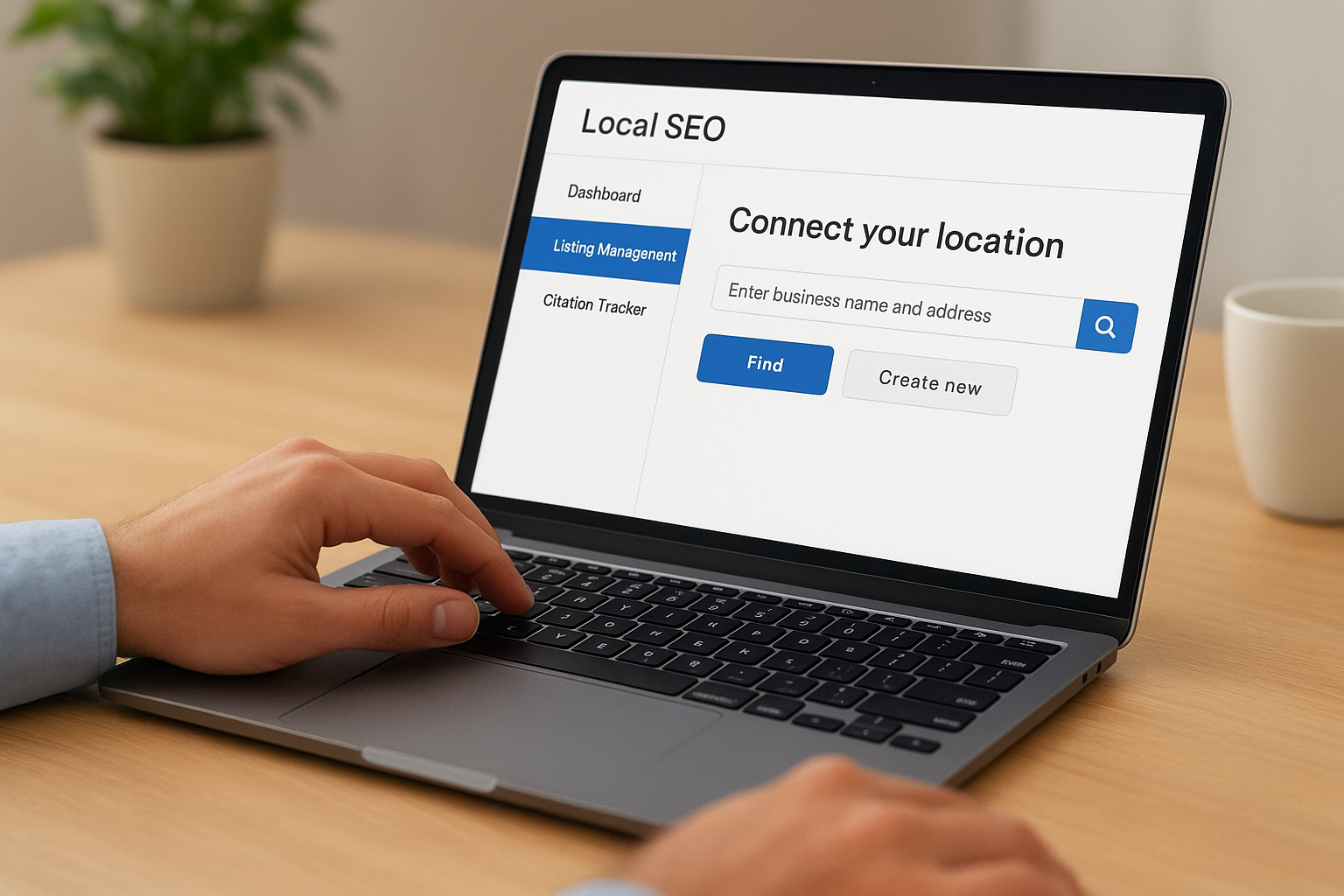
Follow these steps to complete your location profile:
- Enter your business name exactly as it appears on your official website
- Add your primary address, including building number, area, city, and emirate
- Select your primary business category first, then add secondary categories
- Input your phone number and website URL using the exact formatting from your Google Business Profile
- Upload your logo and at least three photos sized to meet directory requirements (typically 720×540 pixels minimum)
- Add your regular business hours, including Friday and Saturday schedules relevant to UAE operations
- Write your business description in the text field, keeping it between 150 and 200 words
Complete every field in your location profile before running the scan. Partial profiles generate lower match rates and leave gaps that aggregators fill with incorrect data from older sources.
Read your scan results correctly
After you save your location profile, Semrush runs an automatic citation scan that checks your business name and address across its entire directory network. The scan returns a list of existing listings organized by status: accurate, inaccurate, missing, or duplicate. Your focus should be on the inaccurate and duplicate columns first, because those represent active misinformation already affecting your local search visibility.
Each listing in the scan results shows the platform name, the current data found on that platform, and how it differs from your verified profile. For UAE businesses, pay close attention to entries on Google, Apple Maps, and Bing specifically, since those platforms carry the most weight for local search rankings in Dubai and Abu Dhabi.
Step 3. Distribute updates and fix duplicates
With your scan results in front of you, the next move is to push your verified business data out to the full directory network and resolve any duplicate listings that surfaced during the scan. This is where Semrush Listing Management delivers its core value. You are not fixing one listing at a time. You are triggering a network-wide update from a single action inside the dashboard, which compresses what would normally take days of manual work into a few clicks.
Push your updates to the network
Select the "Distribute" option inside your location profile to initiate the sync. Semrush will send your verified NAP data, business hours, categories, photos, and description to every connected directory simultaneously. The dashboard shows a progress tracker per platform so you can see which directories have accepted your data, which are still pending, and which flagged any issues with your submission format.
Follow this sequence to complete your distribution correctly:
- Review your location profile one final time before clicking distribute to catch any typos
- Click "Distribute to all directories" to push your data across the full network
- Check the status column for each platform and note any that show an error flag
- For platforms that return errors, open the individual listing and correct the specific field the platform rejected (usually a category mismatch or photo size issue)
- Resubmit the corrected entry and confirm the status updates to "Synced"
Distribution to major platforms like Google and Apple Maps typically completes within 24 to 48 hours, while smaller aggregators can take up to two weeks to reflect your changes.
Handle duplicates before they spread
Duplicate listings cause real damage to your local search visibility because they split your review signals and confuse search engines about your actual business location. When the scan surfaces duplicates on any platform, do not ignore them hoping they resolve on their own. Unresolved duplicates feed incorrect data back into aggregator networks and can undo the accurate information you just distributed.
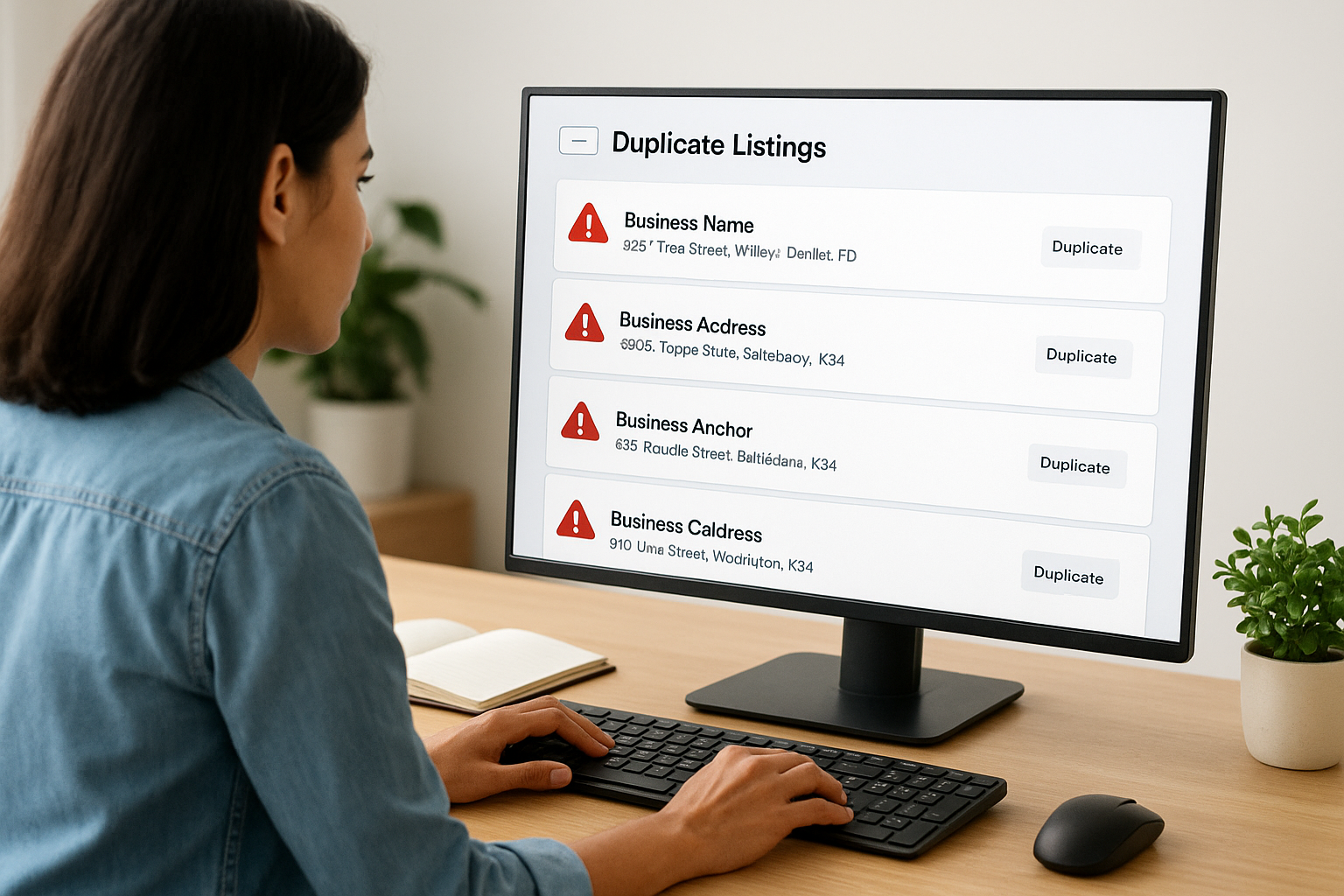
Inside Semrush Listing Management, duplicates appear with a dedicated tag in your scan results. For each duplicate, you have two options: suppress it through the tool if the platform is part of the managed network, or flag it for manual removal by contacting the directory directly. For UAE businesses, the highest-priority duplicates to resolve are those appearing on Google Business Profile, since Google will sometimes show the wrong listing in local search results if two conflicting entries exist for the same address.
Step 4. Maintain accuracy and track results
Getting your listings synced is not a one-time task. Business details change over time, whether you update your hours for Ramadan, move to a new office in DIFC, or add a second location in Abu Dhabi. Each change is an opportunity for stale data to spread across the directory network if you do not push updates actively. Semrush Listing Management gives you a live dashboard to monitor the health of every listing, but you have to check it regularly for it to do its job.
Schedule regular audits to catch data drift
Directory data degrades on its own. Third-party sources, data resellers, and user-suggested edits on platforms like Google Business Profile can overwrite the accurate information you distributed in Step 3. Setting a recurring audit schedule prevents these small overrides from accumulating into a serious visibility problem.
Run your audits on the following schedule:
- Weekly: Check the dashboard for any listings flagged as "Inaccurate" or "Not Synced" and resubmit them immediately
- Monthly: Review your full location profile inside Semrush and confirm every field still matches your current website and Google Business Profile
- Quarterly: Audit your business hours, categories, and photos to account for seasonal changes or new product lines
- After any business change: Push an update the same day you change your address, phone number, or operating hours
A single outdated phone number sitting on a high-authority aggregator can silently redirect customers to a dead line for months before you notice it in your inquiry data.
Read your performance metrics to measure impact
Semrush tracks several key performance indicators inside the Listing Management dashboard that tell you whether your citation accuracy is translating into real local search gains. The metrics you want to focus on are your listing score, search impressions, and profile views across connected platforms. Your listing score reflects how complete and consistent your data is across the network, and it should trend upward as distribution completes and duplicates get resolved.
Compare your impressions and profile views month over month to spot whether improved citation accuracy is driving more discovery clicks. For UAE businesses targeting searches in Dubai and Abu Dhabi, you should also cross-reference these numbers against your Google Business Profile insights directly, since Google remains the dominant platform for local search in the region. Any sustained drop in impressions after a listing update usually points to a sync error worth investigating inside the dashboard immediately.
Final takeaways
Semrush Listing Management removes the manual burden of keeping your business information accurate across dozens of directories. You push updates once from a single dashboard, suppress duplicates before they spread, and monitor your listing health on an ongoing schedule. The tool works best when you enter clean, verified NAP data from day one and treat maintenance as a recurring task rather than a one-time setup.
For UAE businesses competing in dense local markets like Dubai and Abu Dhabi, citation accuracy is a direct local SEO lever you control completely. Every inconsistent phone number or outdated address is a potential customer who never reaches you. Fix the foundation first, keep auditing monthly, and your search visibility compounds over time.
If you are looking for premium products that complement an intentional, high-quality brand presence, browse the handcrafted pyrite collection available across the UAE and see what authentic craftsmanship looks like at the local level.